
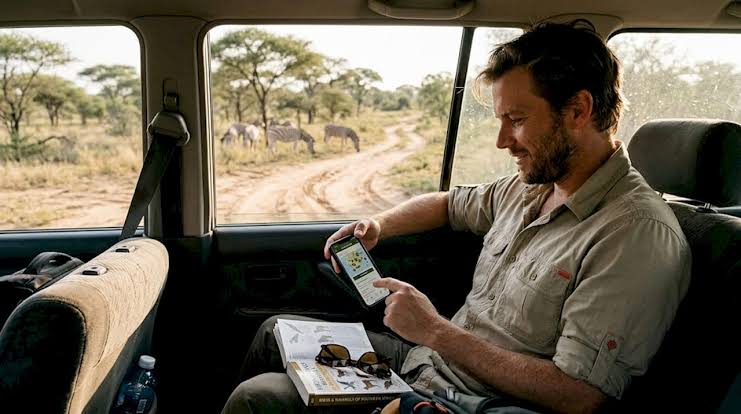
Safari Apps Worth Downloading: Wildlife ID, Weather and Translation
An African safari takes you through beautiful landscapes, wildlife habitats and communities where every day brings something different. You might spend the morning watching elephants in Queen Elizabeth National Park, explore the forests of Bwindi or travel across Tanzania’s Serengeti in search of lions. Along the way, your smartphone can become a useful travel companion.
Choosing the best safari apps for East Africa helps you identify wildlife, check weather conditions, communicate with local people and navigate unfamiliar destinations. Some applications even work without an internet connection, which is particularly useful in remote national parks.
Whether you are planning a safari in Uganda, Kenya, Tanzania or Rwanda, these practical apps can make your journey easier. However, your phone should support your experience rather than distract you from the wildlife around you.
1. Merlin Bird ID: Identify Birds During Your Safari
Birdwatching is one of the most rewarding activities on an African safari. East Africa supports hundreds of bird species, ranging from colourful kingfishers to impressive birds of prey.
Merlin Bird ID, developed by the Cornell Lab of Ornithology, helps travellers identify birds using photographs, descriptions and other observations.
The application includes identification tools and regional bird information.
Why Merlin Bird ID Is Useful
Imagine seeing a colourful bird perched beside the Kazinga Channel in Uganda. You can photograph it and use Merlin’s identification features to explore possible matches.
The application also provides bird photographs, descriptions and recordings for supported species.
Before travelling, download the relevant offline bird information for your destination. Sound identification is available for supported birds, but coverage varies by species and region.
Best for: Birdwatchers, wildlife photographers and travellers interested in learning about African birds.
2. Seek by iNaturalist: Identify Wildlife and Plants
Not every interesting safari discovery involves a lion or elephant.
You may notice colourful butterflies, unusual insects, flowering plants or small reptiles during your journey.
Seek by iNaturalist is designed to help people identify plants, animals and fungi using image recognition.
How Seek Helps Safari Travellers
Suppose you encounter an unfamiliar butterfly near your safari lodge.
You can open Seek, point your phone’s camera towards it and receive identification suggestions.
The app can work offline and does not require an account for basic use.
Seek also includes observation challenges, making it particularly enjoyable for families travelling with children.
However, automated identification is not always accurate. Confirm uncertain species with a reliable field guide or knowledgeable safari guide.
Best for: Nature lovers, families and travellers interested in smaller wildlife.
3. iNaturalist: Record Your Wildlife Discoveries
iNaturalist is useful for travellers who enjoy recording and learning about wildlife.
Unlike Seek, which concentrates on quick identification, iNaturalist allows users to share observations with a wider naturalist community.
Other users can help confirm species identifications.
Why Use iNaturalist on Safari?
During a visit to Lake Mburo National Park, you might photograph an unfamiliar insect or plant.
You can create an observation containing the photograph, date and location.
The observation can then receive identification suggestions and community feedback.
Some records may contribute to biodiversity research.
However, take care when sharing observations of sensitive wildlife. Exact locations can expose vulnerable species to disturbance or illegal collection.
Best for: Wildlife enthusiasts, amateur naturalists and travellers interested in biodiversity.
4. Windy.com: Check Safari Weather Conditions
Weather can influence your safari activities, particularly when travelling through mountainous forests or open savannahs.
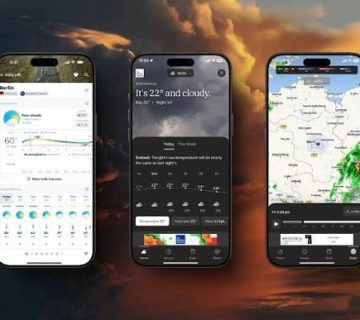
Windy.com provides weather forecasts, wind information, temperature predictions and rainfall maps.
Its visual weather maps help travellers understand changing conditions across different locations.
How Windy Helps With Safari Planning
If you are preparing for gorilla trekking in Bwindi Impenetrable National Park, checking the forecast may help you decide whether to carry additional rain protection.
Similarly, weather information can be useful before a boat safari on the Nile or a morning game drive in the Serengeti.
Windy provides access to several forecasting models, allowing users to compare predictions.
However, mountain weather can change quickly, and forecasts are not guarantees.
Always follow the advice of your safari operator and park authorities when deciding whether conditions are suitable for an activity.
Best for: Weather planning, photography trips and outdoor safari activities.
5. AccuWeather: Everyday Weather Forecasts
AccuWeather is another useful application for checking expected temperatures and rainfall.
It provides daily and hourly forecasts, although available features may vary depending on your device, location and subscription.
When Is AccuWeather Helpful?
Early morning game drives can feel cold, particularly in open vehicles or high-altitude destinations.
Checking the expected temperature can help you decide whether to carry a jacket.
Rain forecasts may also influence what you pack for forest walks, nature trails or outdoor activities.
AccuWeather offers a straightforward alternative for travellers who prefer simple forecast information rather than detailed weather maps.
Best for: Daily weather checks and packing decisions.
6. Google Translate: Communicate With Local People
East Africa is home to many languages and cultures.
English is widely used in Uganda and Kenya, while Swahili is important in Tanzania and Kenya. Rwanda uses Kinyarwanda alongside other official languages.
Learning a few local expressions can make your journey more enjoyable.
Google Translate helps travellers translate written words, conversations and selected camera images.
How Google Translate Helps on Safari
You might want to ask a question at a market, understand a sign or learn a simple greeting.
Google Translate can assist with these everyday situations.
For example, in Tanzania, knowing that asante means thank you and habari is a common greeting can be useful.
You can download supported language packs before travelling for offline translation.
However, not every language or feature is available offline, and automated translations may contain mistakes.
For important instructions or complicated conversations, ask a knowledgeable local person to assist.
Best for: Basic communication, translating signs and learning local expressions.
7. Google Maps: Navigate Between Safari Destinations
Travelling between East African national parks can involve long road journeys and unfamiliar towns.
Google Maps helps users locate destinations, estimate travel routes and find accommodation or other services.
Why Download Offline Maps?
Mobile network coverage can become unreliable in remote areas.
Google Maps allows users to download selected geographical areas for offline navigation.
Before leaving Entebbe for Murchison Falls National Park, for example, you can save relevant maps while connected to reliable Wi-Fi.
Offline driving directions can work within downloaded areas, but traffic updates and alternative routes are unavailable without internet access.
Remember that some national park tracks may not appear accurately on ordinary mapping applications.
Your professional safari driver should remain responsible for navigation inside protected areas.
Best for: Road transfers, locating accommodation and general travel navigation.
8. Organic Maps: Offline Navigation Without Mobile Data
Organic Maps is another practical option for travellers visiting locations with limited internet connectivity.
The application provides downloadable maps and offline navigation.
It uses OpenStreetMap data, which includes roads, walking routes and other mapped features.
Why Consider Organic Maps?
If you are visiting several destinations during a longer safari, offline maps can help you understand the surrounding geography without relying constantly on mobile data.
Organic Maps is also useful for general walking navigation in towns and suitable public areas.
However, map coverage and accuracy vary.
Never use a navigation application as permission to walk independently in wildlife habitats where guides are required.
Best for: Offline maps, road travel and exploring permitted walking areas.
9. eBird Mobile: Keep a Birdwatching Checklist
Travellers who enjoy birdwatching may appreciate eBird Mobile.
Developed by the Cornell Lab of Ornithology, the application allows birdwatchers to record species encountered during an outing.
You can prepare regional bird lists before travelling and record observations even when mobile reception is unavailable.
How to Use eBird on Safari
During a morning birdwatching activity in Mabamba Wetland or Murchison Falls National Park, record the birds you identify.
You can include species names, numbers observed and other useful details.
Once internet access becomes available, you can submit your saved checklist.
Only record identifications you can reasonably confirm, and follow eBird’s guidance for accurate observations.
Best for: Dedicated birdwatchers and travellers maintaining wildlife records.
Quick Comparison of the Best Safari Apps
| Safari App | Main Purpose | Offline Use |
|---|---|---|
| Merlin Bird ID | Bird identification | Yes, with preparation |
| Seek by iNaturalist | Wildlife and plant identification | Yes |
| iNaturalist | Wildlife observations | Some features |
| Windy.com | Weather forecasts | Fresh data needs internet |
| AccuWeather | Daily weather planning | Fresh data needs internet |
| Google Translate | Language translation | Supported downloaded languages |
| Google Maps | Travel navigation | Downloaded map areas |
| Organic Maps | Offline navigation | Yes, after map downloads |
| eBird Mobile | Birdwatching checklists | Recording with prepared packs |
How to Prepare Your Phone Before an African Safari
Before travelling, install your preferred applications and test their basic features.
Download offline maps, relevant bird information and supported translation languages while connected to Wi-Fi.
Carry a reliable power bank because photography, GPS and other applications can drain your phone battery.
Keep important travel documents and emergency contacts accessible offline.
You should also confirm mobile roaming arrangements or consider a suitable local SIM card or eSIM.
Avoid relying entirely on your smartphone for safety, navigation or wildlife identification.
Your safari guide’s local knowledge remains essential.
Which Safari Apps Should You Download First?
You do not need every application listed above.
For a typical East African safari, a combination of Merlin Bird ID, Seek, Google Translate, Google Maps and one weather application provides useful everyday coverage.
Birdwatching enthusiasts may also benefit from eBird Mobile, while travellers who enjoy recording nature observations can consider iNaturalist.
Choose applications that match your interests rather than filling your phone with tools you may never use.
Use Technology Without Missing the Safari
The best safari apps for East Africa can help you identify birds, understand weather conditions, communicate with local communities and navigate between destinations.
They are particularly useful when travelling through remote regions where information and mobile connectivity may be limited.
However, memorable safari experiences still come from observing wildlife, listening to your guide and enjoying the natural surroundings.
Whether you are watching elephants in Uganda, exploring Kenya’s Maasai Mara or travelling across Tanzania’s Serengeti, use your phone when it adds something useful to the experience.
Download the right apps before travelling, but remember to spend more time watching wildlife than looking at your screen.




No comment