
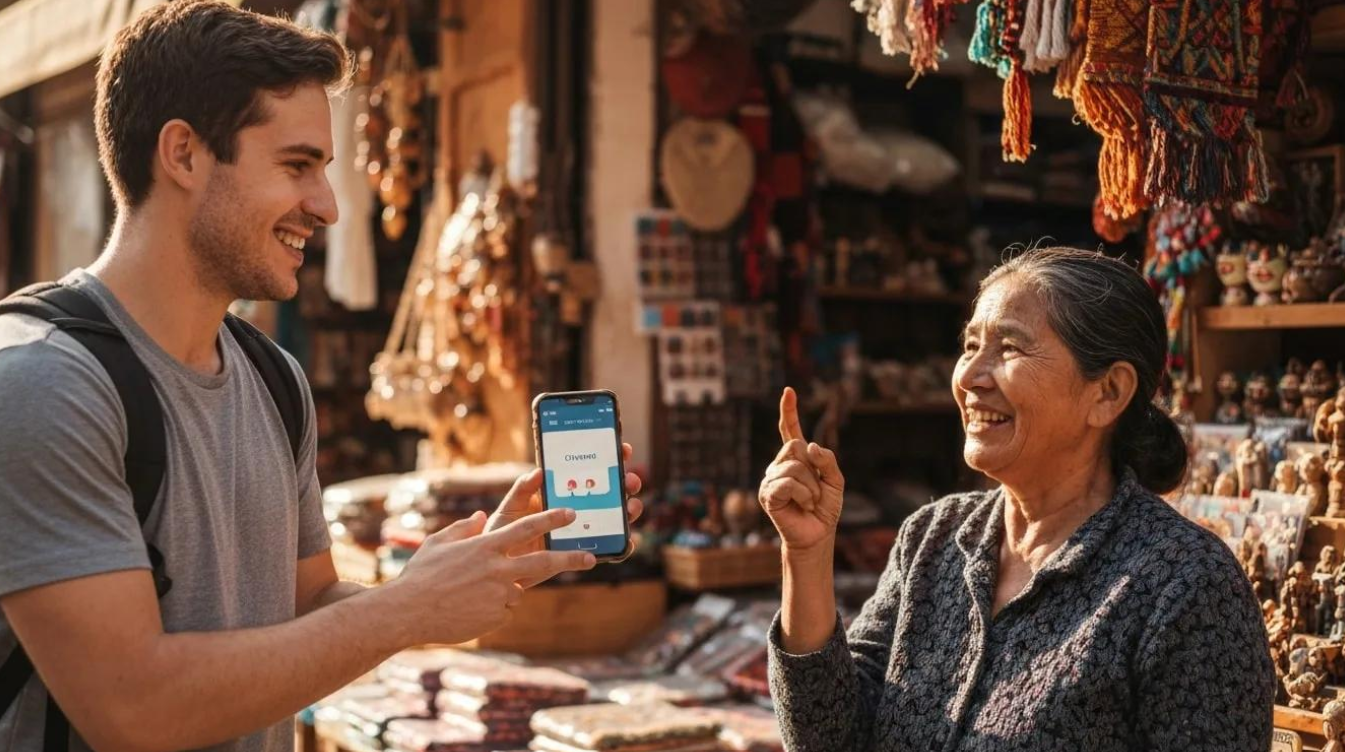
Using Translation Apps for Swahili, Luganda and Kinyarwanda
Travelling through East Africa introduces you to different cultures, traditions and languages. Whether you are visiting a local market in Kampala, exploring the streets of Kigali or meeting communities near Tanzania’s national parks, communicating with local people can make your journey more enjoyable.
English is widely used in many tourism establishments, but you may meet people who prefer speaking their local languages. Learning how to use translation apps in East Africa can help you communicate, ask simple questions and understand everyday conversations.
Swahili, Luganda and Kinyarwanda are three important languages travellers may encounter during journeys through Uganda, Kenya, Tanzania and Rwanda.
Modern translation applications make these languages more accessible, although translation accuracy and offline features vary. This guide explains which apps to consider and how to use them effectively during your African safari.
Why Translation Apps Are Useful in East Africa
Translation apps help travellers communicate when they do not share a common language with someone.
During an East African safari, you may need assistance understanding directions, ordering food, asking about prices or learning more about local customs.
For example, you might visit a craft market in Kampala and want to ask a seller about a handmade basket.
A translation app can help you prepare a simple question in Luganda.
In Tanzania, you may use Swahili translations while speaking with local traders.
In Rwanda, basic Kinyarwanda phrases can help you greet people respectfully.
However, translation apps should support communication rather than replace professional interpreters during important discussions.
1. Understanding Swahili, Luganda and Kinyarwanda
Although these languages are widely spoken within East Africa, they are not interchangeable.
Each has its own vocabulary, grammar and pronunciation.
| Language | Main Travel Destinations | Common Use |
|---|---|---|
| Swahili | Tanzania, Kenya and parts of Uganda | Everyday communication and regional trade |
| Luganda | Kampala and central Uganda | Local conversations and markets |
| Kinyarwanda | Rwanda | Community interactions and everyday communication |
Swahili is particularly useful for travellers visiting Tanzania and Kenya.
Luganda is commonly spoken around Kampala, Entebbe and other parts of central Uganda.
Kinyarwanda is the national language of Rwanda and is widely spoken throughout the country.
Learning which language is appropriate for your destination helps you communicate more confidently.
2. Google Translate: A Practical Option for Travellers
Google Translate is one of the most familiar translation applications.
It supports text translation for Swahili, Luganda and Kinyarwanda.
You can type simple sentences and receive translations into your selected language.
Depending on the language and device, additional features may include speech, camera translation and saved phrases.
How to Use Google Translate on Safari
Imagine visiting a restaurant in Arusha, Tanzania.
You want to ask whether a particular meal contains meat.
Open Google Translate, select English and Swahili, then type your question.
You can show the translated sentence to the restaurant staff.
The same approach can help when asking directions or making simple enquiries.
However, automatic translations may misunderstand context, particularly when sentences contain slang, idioms or regional expressions.
Keep your questions short and straightforward.
3. Microsoft Translator: Another Useful Translation Tool
Microsoft Translator provides translation technology supporting Swahili, Luganda and Kinyarwanda text.
Its language support differs depending on whether you use the mobile application or another Microsoft translation service.
Microsoft’s published language information identifies varying support for features such as speech, transliteration and image translation.
When Microsoft Translator May Help
If you frequently use Microsoft applications, Translator may provide another convenient option for preparing written messages.
For example, you could translate a simple question before visiting a market or community attraction.
However, do not assume that every supported text language offers live voice conversations or downloadable offline translation.
Check the exact features available in your application before travelling.
4. Can You Translate Swahili, Luganda and Kinyarwanda Offline?
Offline translation is particularly important when travelling through remote safari destinations.
Mobile reception may become unreliable in parts of Bwindi Impenetrable National Park, the Serengeti or other protected areas.
Google Translate allows users to download certain language packs for offline use.
However, not every supported language can be downloaded.
How to Prepare Offline Translation
Before leaving home:
- Install your preferred translation application.
- Connect to a reliable Wi-Fi network.
- Select English and your destination language.
- Look for an available language download option.
- Download supported language packs.
- Switch off mobile data and Wi-Fi.
- Test whether your translations still work.
If a language has no downloadable package, you will need an internet connection for that translation feature.
Save important phrases separately in your phone’s notes application as a backup.
5. Useful Swahili Phrases for Safari Travellers
Learning a few Swahili words can make everyday interactions easier.
| English | Swahili |
|---|---|
| Hello | Jambo |
| How are you? | Habari gani? |
| Thank you | Asante |
| Thank you very much | Asante sana |
| Please | Tafadhali |
| Welcome | Karibu |
| Excuse me | Samahani |
| How much? | Bei gani? |
| Goodbye | Kwa heri |
Swahili greetings vary according to context and region.
For example, habari is widely used in everyday greetings, while jambo is particularly familiar in tourism settings.
Your local guide can help explain which expressions sound most natural.
6. Useful Luganda Phrases for Visitors to Uganda
Luganda is widely spoken in Kampala and central Uganda.
Learning basic greetings can help you connect with people during market visits, community experiences and ordinary conversations.
| English | Luganda |
|---|---|
| Hello / How are you? | Oli otya? |
| How are you? (respectful/plural) | Muli mutya? |
| I am fine | Gyendi |
| Thank you | Webale |
| Thank you very much | Webale nnyo |
| Welcome | Tukusanyukidde |
| Yes | Yee |
| No | Nedda |
| Goodbye (to someone staying) | Siba bulungi |
Luganda expressions can change depending on the number of people addressed and the level of respect expected.
If you are visiting a village or cultural attraction, ask your local guide to help you use appropriate greetings.
Even a simple webale after receiving assistance can be appreciated.
7. Useful Kinyarwanda Phrases for Rwanda
Kinyarwanda is widely used throughout Rwanda.
Visitors travelling to Kigali, Volcanoes National Park or Lake Kivu may enjoy learning simple expressions.
| English | Kinyarwanda |
|---|---|
| Hello / Good day | Muraho |
| Hello (to several people) | Muraho mwese |
| How are you? | Amakuru? |
| I am fine | Ni meza |
| Thank you | Murakoze |
| Thank you very much | Murakoze cyane |
| Please | Nyamuneka |
| Yes | Yego |
| No | Oya |
| Goodbye | Murabeho |
Pronunciation can be challenging for first-time learners.
Use a reliable audio example when available, or ask your guide to demonstrate the correct pronunciation.
Local speakers can also explain when formal or informal expressions are appropriate.
8. How to Use Translation Apps in Local Markets
Markets provide excellent opportunities to experience everyday life in East Africa.
You may encounter unfamiliar foods, traditional crafts, clothing and household products.
Translation apps can help you ask basic questions about items you want to purchase.
For example, you might type:
“How much does this basket cost?”
Or:
“Was this product made locally?”
Show the translated sentence to the seller and allow time for a response.
Avoid assuming the translation is perfect.
If communication becomes confusing, use simple words, gestures or assistance from your local guide.
Always ask permission before photographing market vendors.
9. Using Translation Apps During Cultural Experiences
Community visits can be memorable parts of an African safari.
You may learn about traditional food preparation, farming, crafts or conservation projects.
Translation applications can help with simple greetings and questions.
However, longer conversations about culture, personal experiences or sensitive subjects require greater accuracy.
For these discussions, a knowledgeable local interpreter is often the better choice.
Your guide can explain cultural context that automated translation may miss.
This helps prevent misunderstandings and encourages respectful communication.
10. Common Problems With Translation Apps
Translation technology continues to improve, but mistakes remain possible.
Some applications struggle with regional vocabulary, unusual sentence structures and informal expressions.
Speech recognition may also perform poorly in noisy markets or moving vehicles.
Common difficulties include:
- Incorrect translations of local expressions.
- Missing offline language support.
- Unavailable speech translation features.
- Difficulty recognising accents.
- Misunderstanding questions containing several ideas.
- Poor connectivity in remote destinations.
To reduce these problems, use short sentences and avoid complicated wording.
For important matters involving health, money, legal obligations or safety, seek qualified human translation assistance.
11. Which Translation App Should You Choose?
The best application depends on your language requirements and travel activities.
| Translation Tool | Main Advantage | Important Consideration |
|---|---|---|
| Google Translate | Supports all three languages for text translation | Offline and voice support vary |
| Microsoft Translator | Supports text translation for all three languages | Mobile features vary by language |
| Saved offline phrasebook | Works without mobile internet | Limited to prepared phrases |
| Local interpreter or guide | Understands context and local expressions | Availability may depend on arrangements |
For everyday safari travel, Google Translate is a practical starting point.
However, test your chosen language before departure rather than assuming every feature will work.
12. Prepare Your Translation Apps Before Travelling
Before your East African safari, install the applications you intend to use.
Test common greetings, restaurant questions and directions.
Save useful phrases on your phone and download offline languages wherever supported.
If your itinerary includes several countries, organise phrases by destination.
For example, save Swahili expressions for Tanzania, Luganda phrases for central Uganda and Kinyarwanda greetings for Rwanda.
You should also carry important accommodation details and emergency contacts in a format that does not require an internet connection.
These preparations can reduce communication difficulties during your journey.
Communicate More Confidently in East Africa
Learning how to use translation apps in East Africa can make your safari more comfortable and interesting.
Google Translate and Microsoft Translator provide useful tools for Swahili, Luganda and Kinyarwanda, although their features and accuracy vary.
Save important phrases, test offline capabilities and learn a few greetings before travelling.
Most importantly, remain patient when communicating with people who speak different languages.
Whether you are visiting a market in Uganda, greeting a guide in Tanzania or exploring a community in Rwanda, making an effort to speak the local language can create a more welcoming travel experience.
A few correctly spoken words, combined with patience and respect, can make everyday conversations more enjoyable.





No comment